Pose AI field guide
10 photo pose ideas built for a real camera
Choose one visible action, match it to your crop, and build the frame around that decision.
Browse the ideas
Start with one readable action
These are real cards from the Pose AI catalog, not abstract prompts. Each idea names who holds the phone, how tight the frame is, what the body or hands do, and one small way to change the result.
Selfie · close-up
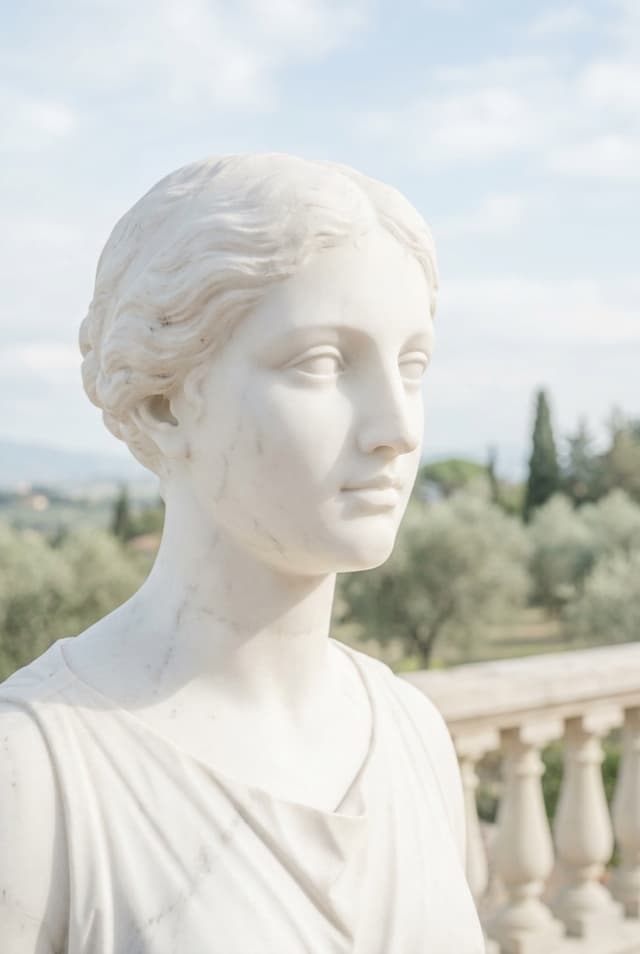
Look just past the lens
Bring the front camera close enough for the face to lead the frame, then turn your eyes toward one specific point beside the phone. Keep the head turn small so both the gaze and the shape of the face remain clear.
Variation: hold the camera still and try the same glance in both directions before changing your expression.
Selfie · close-up
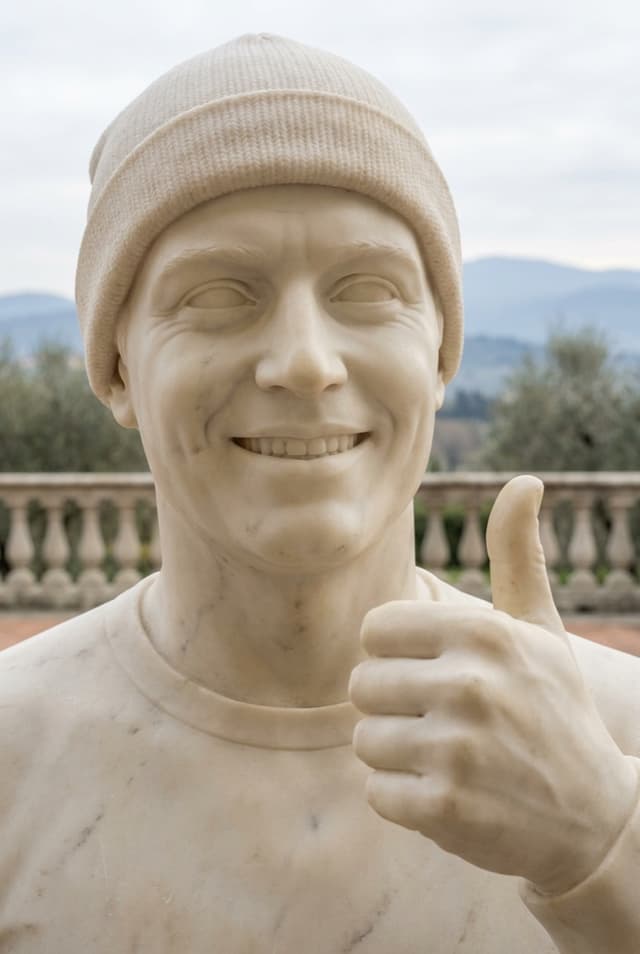
Pair a smile with one clear gesture
Use a thumbs-up or another simple hand sign beside a direct smile. The gesture gives the hand a job and makes the picture read quickly, which works well for a profile update, casual check-in, or celebratory frame.
Variation: move the hand lower or farther from the face instead of pushing it toward the lens.
Selfie · upper body
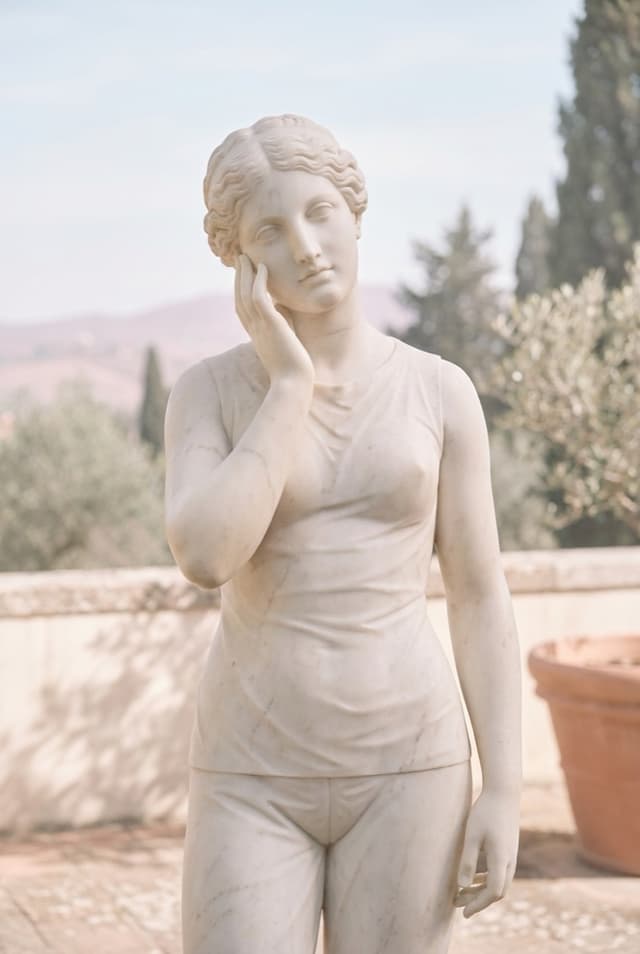
Rest fingertips at the cheek
Touch the cheek lightly enough that the fingers keep their shape and the skin is not pressed. A modest head tilt can connect the face and hand, while the upper-body crop leaves room for the elbow without making it the subject.
Variation: compare fingertips at the cheekbone, jaw, and temple while the camera position stays fixed.
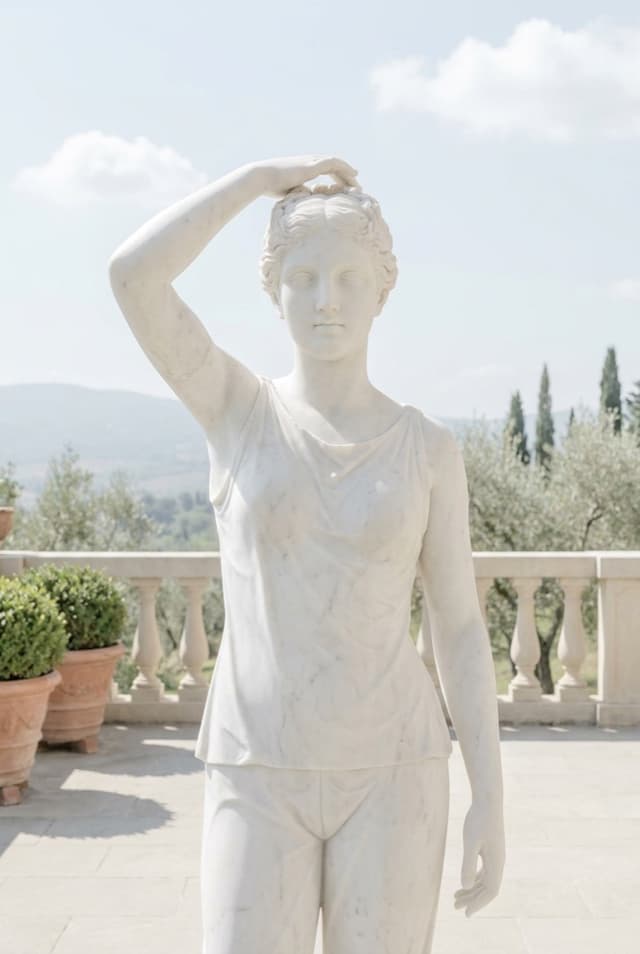
Selfie · upper body
Lift one hand into the hair
Place one hand at the top or side of the head and let the elbow create a diagonal through the frame. Keep the shoulder below the ear and use light contact so the action feels like an adjustment rather than a frozen grip.
Variation: meet the camera for one frame, then keep the arm still and shift only the gaze.
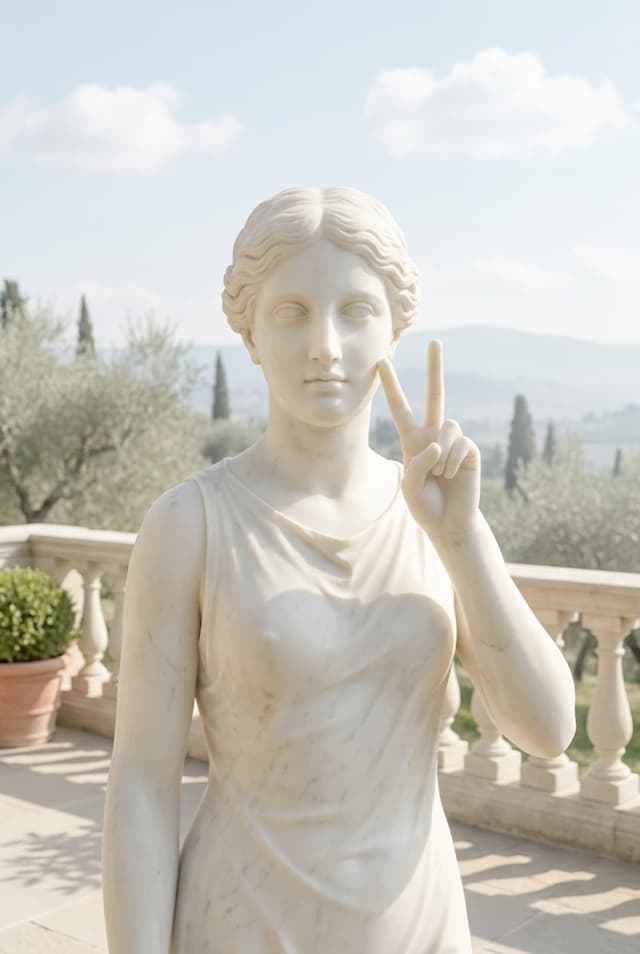
Selfie · upper body
Place a peace sign beside the face
Hold the sign beside the cheek rather than directly in front of the camera. That keeps the fingers readable without letting the hand dominate the face. Leave a little space between the gesture and the head.
Variation: move the gesture toward the edge of the frame or soften the smile without changing the crop.
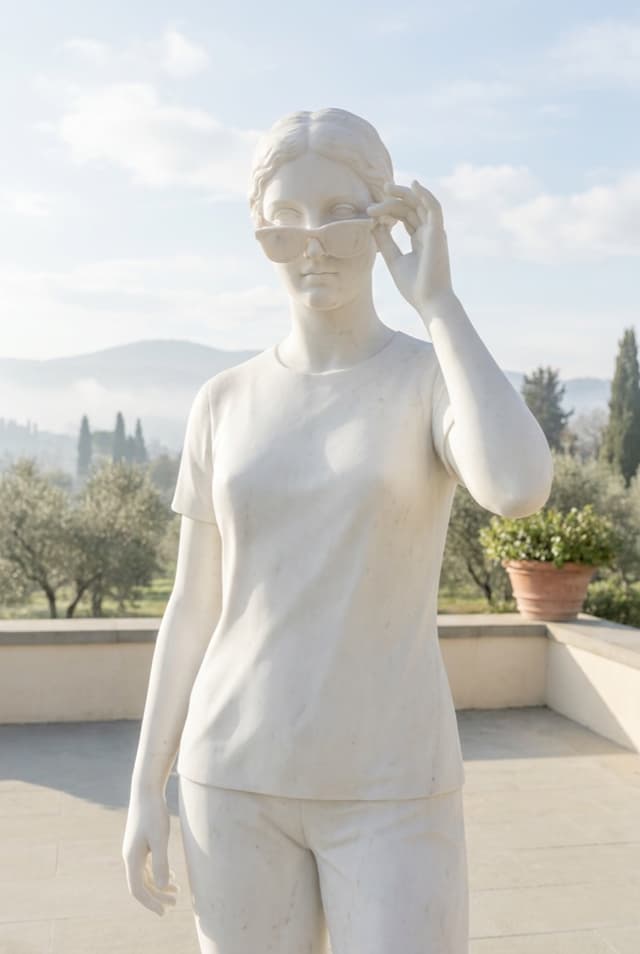
Mirror · upper body
Touch an accessory with the free hand
Hold the phone as part of the composition, then give the free hand a precise destination such as the edge of sunglasses. The accessory connects the hand to the story of the picture and keeps it from floating without purpose.
Variation: shift the phone slightly lower, then decide whether your eyes meet the reflection, the lens, or the accessory.
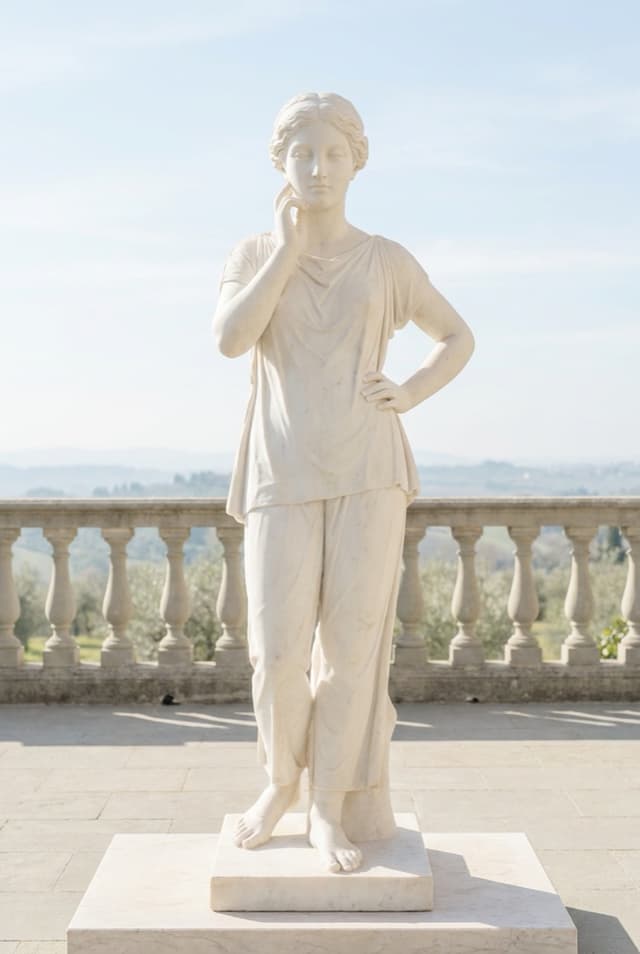
Propped phone · full body
Build a standing line with two hand jobs
Shift the weight to one leg, soften the other knee, place one hand near the hip, and bring the other lightly toward the face. The unequal hand positions keep a full-body frame from becoming too symmetrical.
Variation: mirror the whole guide and compare both sides while the phone height and floor position remain unchanged.
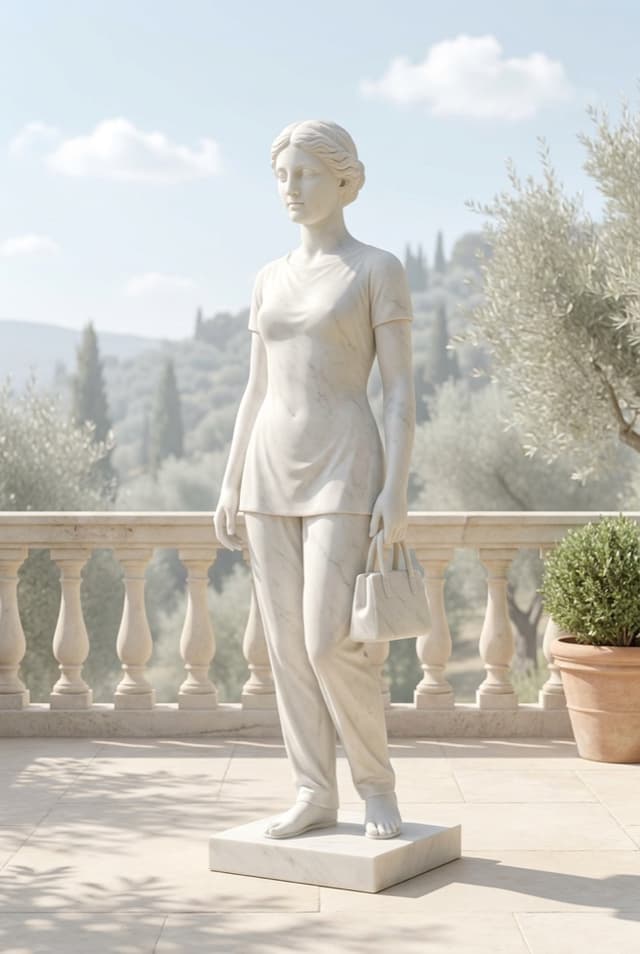
Direct camera · full body
Let a bag anchor one side
Turn the torso slightly and hold the bag at the side instead of centering it in front of the body. The prop gives one hand a natural job and adds weight to one side of the composition without requiring a complicated stance.
Variation: keep the bag position, then change only the free hand between relaxed, pocketed, and lightly placed at the waist.

Direct camera · full body
Cross the arms after setting the turn
Set the feet and a slight body turn before crossing the arms, then let the hands rest rather than gripping. A direct gaze makes the frame feel more assertive; a side gaze or softer mouth changes the mood without rebuilding the body.
Variation: uncross one arm and keep the other across the waist to make the shape less formal.
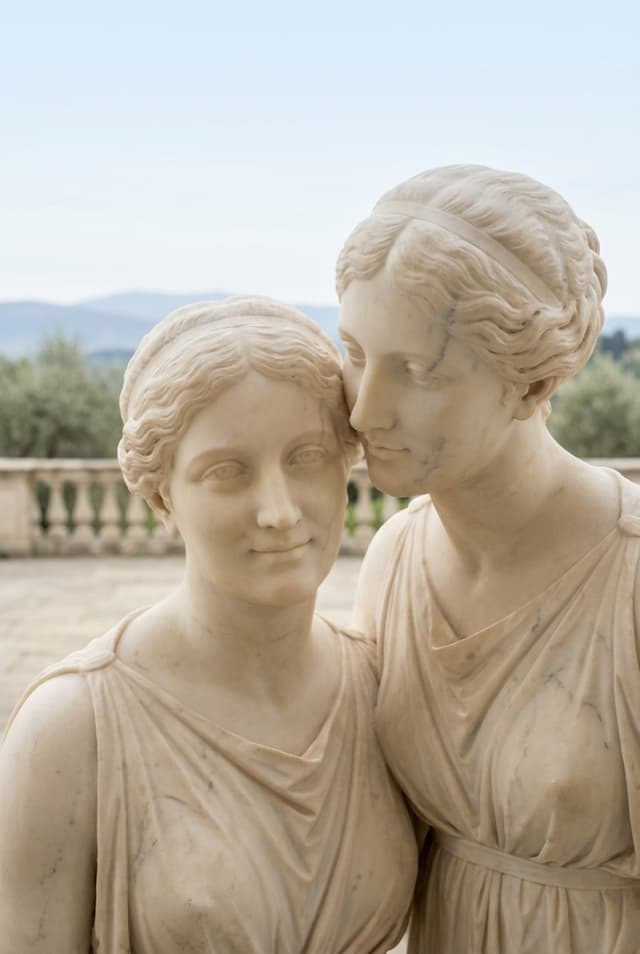
Two people · close-up
Lean in cheek to cheek
Place both faces at a similar distance from the camera, then lean in until the cheeks meet or nearly meet. The close crop makes the connection the idea; shoulders and hands can stay outside the frame unless they add something deliberate.
Variation: make one direct frame looking into the lens and one candid frame looking toward each other.
Choose the idea by the frame you can make
A pose becomes easier to reproduce when the camera job, crop, and visible action are decided before the expression.
Name who holds the phone
A front-camera selfie, mirror picture, propped-phone shot, and friend-held portrait give your hands different jobs. Pick the setup before choosing an idea that depends on both hands being free.
Choose the crop before the detail
A cheek touch can lead a close frame and disappear in a full-body one. Decide whether the image is about the face, upper-body shape, outfit, or connection between people, then select the action.
Give hands contact or purpose
Use a bag, sunglasses, hair, cheek, hip, pocket, gesture, or another person. Light contact reads more clearly than a hand hovering near the body with no visible relationship to the scene.
Keep near-lens objects intentional
At selfie distance, a hand moves through the frame quickly and can appear much larger when it sits close to the lens. Place it beside the face unless that exaggerated perspective is part of the picture.
Use one asymmetry
One bent knee, uneven hand placement, slight body turn, or off-camera gaze is often enough to keep a frame from feeling rigid. Adding every variation at once makes the idea harder to read and repeat.
Check the edges as part of the pose
Hands, elbows, feet, accessories, and the phone itself can be cut awkwardly even when the center looks right. Scan all four edges before treating the body position as finished.
Turn one idea into a useful sequence
Do not collect ten unrelated frames and hope one works. Start with one card, establish a baseline, and make a short sequence of controlled variations.
- 01
Match the card to the camera job
Choose a selfie, mirror, direct-camera, or two-person card with the crop you can actually shoot. Check that the required hands are available and that the location leaves enough space for the subject.
This is the main selection decision. A good pose in the wrong setup creates more friction than a simple pose matched to the frame.
- 02
Fit the guide before changing the body
Open the camera and position the transparent guide for the intended scale and crop. Move or pinch the guide, adjust opacity, and mirror it when the opposite direction fits the scene better.
Keep the phone stable once the guide fits. Otherwise every body adjustment is measured against a moving composition.
- 03
Capture the plain version first
Reproduce the visible action without adding extra styling: one glance, one hand contact, one turn, or one connection with the other person. The first frame gives you a baseline you can compare.
For eligible scored cards, Pose AI can surface the next declared cue and capture after a strong match holds. Overlay-only cards remain visual compositions without a score.
- 04
Change one detail for each frame
Keep the crop and main body shape, then vary one thing: gaze, expression, free hand, prop height, head direction, or which side of the guide you use.
A controlled sequence shows what changed the picture. Randomly replacing the entire pose after every shutter press does not.
- 05
Keep the version that feels specific to you
Review the sequence for expression, tension, hand shape, background, and edge cuts—not only the match. The guide provides a structure, while the final choice remains yours.
Save the combination you can reproduce. One dependable setup is more useful than a folder of ideas you never try in the camera.
Go deeper when the idea is not the problem
Use the full posing method for body and camera fundamentals, or compare what a live posing tool should do during capture.
Questions about choosing a pose idea
Short answers for selecting, adapting, and practicing a camera-ready setup.
What are easy photo pose ideas to start with?
Start with one action that is visible in the crop: look beside the lens, touch an accessory, rest fingertips at the cheek, hold a bag, cross the arms, or lean toward a friend. Keep the camera fixed and make the rest of the body comfortable.
Where should I put my hands in a photo?
Give each visible hand a light task connected to the scene. Use hair, a cheek, sunglasses, a bag, a pocket, the hip, a simple gesture, or gentle contact with another person. If a hand has no purpose, change the crop rather than forcing it into view.
How many poses should I try in one shoot?
Begin with one or two base ideas and make several small variations of each. Changing gaze, expression, or one hand while the frame stays stable teaches you more than switching to a completely different body position after every photo.
Can the same pose idea work for different people?
Yes, when the idea is treated as structure rather than exact geometry. Adjust the guide to the person and crop, keep movements comfortable, and preserve the readable action—such as a turn, hand contact, or shared lean—without copying another body.
Should I choose a close-up or full-body pose?
Choose based on what the picture is about. Use a close-up for gaze, expression, or a face-level gesture; an upper-body crop for hands and accessories; and a full-body frame for stance, outfit, and the relationship between the feet, hips, and shoulders.
What makes a mirror pose different from a selfie pose?
In a mirror picture, the phone and reflection belong to the visible composition. In a front-camera selfie, the phone is outside the image but its distance strongly affects the crop and perspective. Pick a card made for the setup you are using.
How does Pose AI help me use a pose idea?
After you choose a marble card, its transparent frame appears over the iPhone viewfinder and can be fitted to your shot. Scored cards can provide on-device cues for their declared signals and trigger capture after the match holds.
Sources and catalog evidence
The ten examples come from Pose AI’s shipped card and pose definitions. General hand, crop, background, and body-angle guidance was checked against these photography resources.
Take the idea into the camera
Choose a card, fit the transparent guide to your frame, and build a short sequence from one visible action.